


| Home | Latest Reviews and Posts | Kodak DC210 Review | Gallery | Links |
My Kodak DC210 Zoom Plus Review
Contents
Should you be joining the digital photography revolution in 1998?
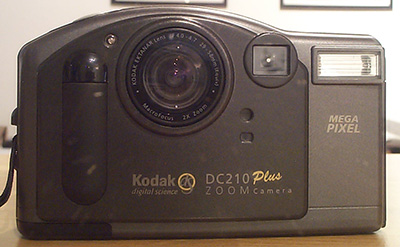
I first heard about the Kodak DC210 Zoom in an issue of Amateur Photographer magazine at the end of last year (15th November 1997) and, although the price was good then, it was a little out of my reach at £749 on launch. At the time, they dropped the price of their older DC120 model to £599 so I held out for the inevitable price drop. Rather than dropping the price, Kodak went one better and just under a year later they've released the new, improved "plus" model of the DC210, making an already good camera better.
The key improvements over the plain DC210 Zoom are as follows:
- A claimed 20% more battery life
- Faster startup time (5 seconds faster)
- Multi-lingual interface
- "About Screen" that displays the number of images taken with and without a flash
- Date stamp that lets the user choose how the date is written
- Video out slide show (for TV viewing)
- Ability to add creative border templates of your own design, saveable as bitmap files on the memory card
- New black appearance
Other than these changes, the camera remains pretty much identical to the previous model - so much so that they share the same instruction manual that comes in the box.
Having been convinced by the review in AP which said "Given the price, the picture quality is super" and then seeing this better model for a more affordable £599 ish, I decided to take the plunge and see if it would be a worthy upgrade over my faithful Casio QV10a.
What's in the box?
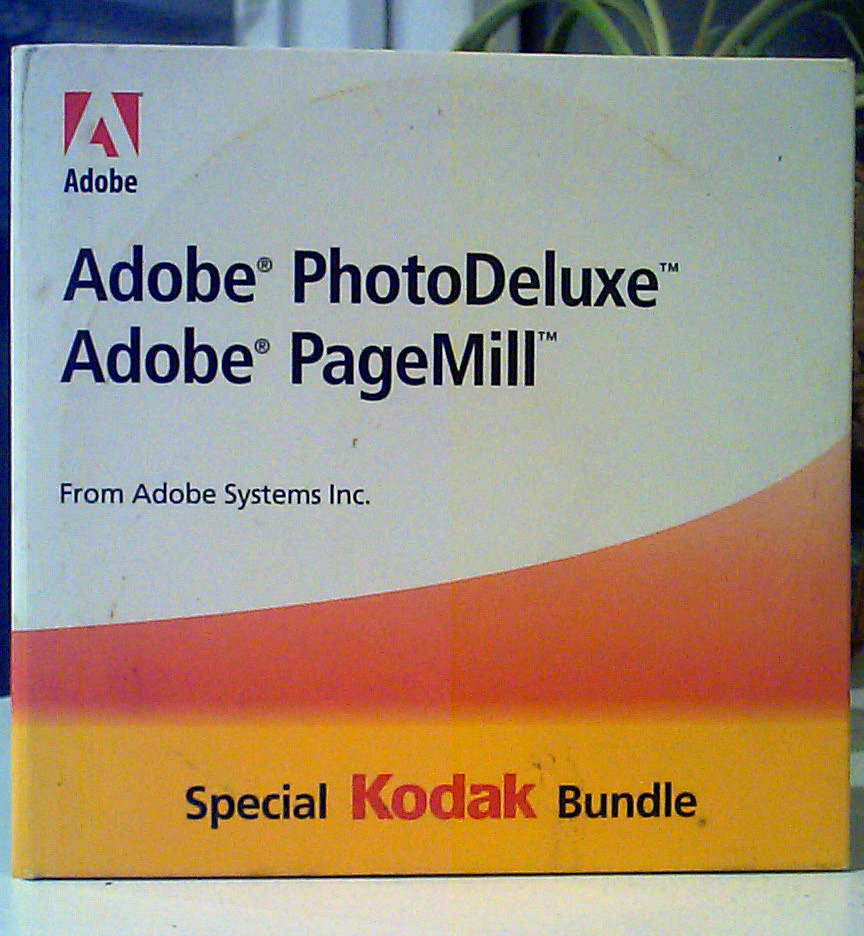
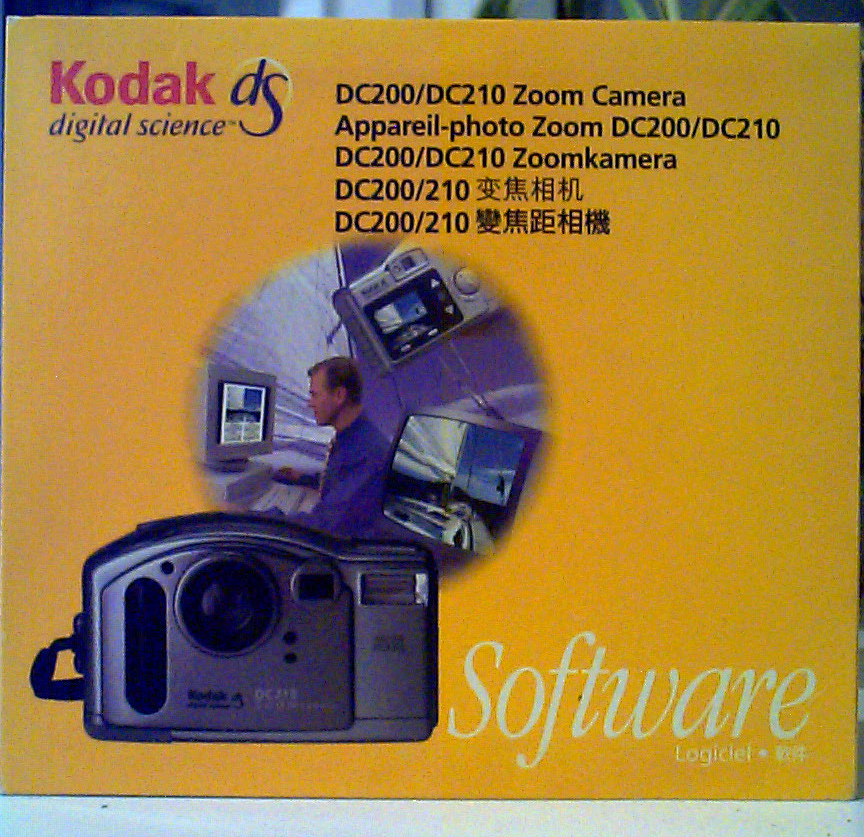
The new DC210 comes with a rather generous amount of kit in the box. Aside from the camera, you get a power supply so you won't keep running out of batteries during file transfer (if you don't wisely invest in a card reader), a serial data cable, Kodak's "Picture Easy" software for image transfer and organisation and a free copy of Adobe Pagemill 2.0 which is software for writing websites on and a nice bonus, although I still prefer to write my own code in Edit Plus!
Other than that, you get a memory card, soft carry case and a couple of physical manuals. The included software CD also contains a rather neat interactive manual with some informative tutorials all contained in a neat website interface. The only downside to this is that a lot of the content links to real websites on the world wide web and you have to connect to the internet to view it. This is fine, but with internet access chargeable by the minute these days, you're probably better off just staying offline.
Getting up and running
|
|
Installing the software is fairly painless although I do have a brand new Pentium II 400mhz machine with plenty of RAM (64mb) and disk space. The manual suggests you need at least a P166mmx if you want full performance when transferring images but it should work fine on machines as old as a P133 even, if you don't expect blazing fast transfer speeds.
Talking of transfer speeds, you are much better off buying a Compact Flash Card Reader rather than relying on the included serial cable. Transferring even a single image via serial can take a matter of minutes, whereas a card reader in a modern USB 2 port will have your picture files copied in a jiffy. I know that they're another expensive investment, but I can see the standard sticking around and card sizes are only going to get bigger.
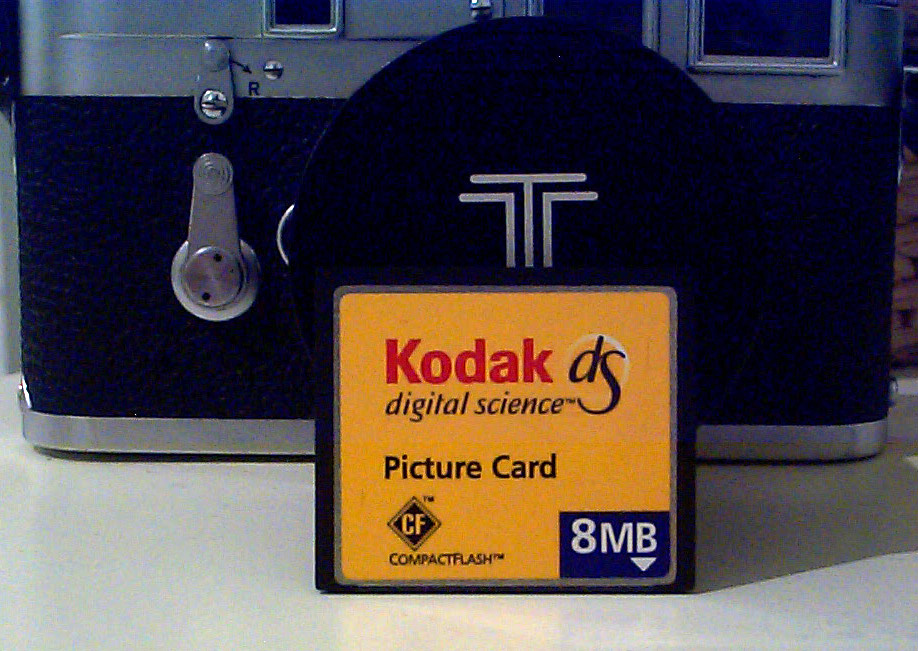
Kodak are kind enough to include an 8MB Compact Flash card in the box which is enough to hold 27 of the highest quality, one megapixel images that the camera produces. This feels just like having a normal roll of 24 exposure 35mm film in your SLR or compact camera, so is the perfect size really. You can knock the image quality down to fit more pictures on the card but I don't recommend it. New memory cards are expensive, but prices are coming down all the time and capacities rising simultaneously. If you want a spare card in your camera bag, expect to pay about £50 for a 16mb card.
Using the DC210

I'm now in the habit of carrying the DC210 everywhere I go, usually in my coat pocket. It's a big camera, bigger than the small Vivitar compact film camera I normally carry and certainly a lot, lot larger than the rather beautiful APS based Canon Ixus cameras. However, in winter, I'm wearing a big bulky coat with large pockets and it slips in there without issue. Come summer, this might change!
The convenience of carrying around a digital camera is not to be underestimated. Being able to snap a picture of something that takes your interest and then see it immediately on the screen, but better still as soon as you get home on the PC screen is a novelty that doesn't seem to wear off. Although the screen on the back of the DC210 isn't anything like as good as your PC monitor or even an average pocket size TV, it is good enough to check framing and composition - perhaps whether you need some exposure composition, but don't expect to be able to check focus as it simply isn't clear enough for this.
This camera can be somewhat ponderous at times. When you turn it on, it takes a few seconds to go through some start up procedures and during this time you cannot press any buttons or make any changes. Frustratingly, it remembers any settings you change in the menu system, but forgets any changes you make on the top LCD panel such as turning off the flash which is all too eager to fire off all the time. When you take a picture, there is a period of roughly 5 to 8 seconds where it saves the picture to the card and again you can't do anything else at this point.
I know the old Casio QV10 takes much smaller pictures, but you do also get much quicker turn around between shots. Obviously, the Kodak is having to write much more data for each image but it would be nice if it were a little quicker. The trade off, though, is much better image quality - this really is quite a leap forward and just shows how much technology has moved on in just a few short years.
Don't get too excited, though. The convenience is undeniably handy, the image quality definitely better than older digital cameras but it is nowhere near the quality of even a 35mm compact, let alone the gold standard of an SLR with slide film loaded. This camera is ideal for quick snapshots, parties, creating custom cards and publications on your PC. In the future, image quality can only get better and better but whether it will surpass film any time soon is just crystal ball gazing. Right now a digital camera is more of a companion rather than a replacement for your compact but I can definitely see the attraction of being able to take infinite pictures without having to pay for processing or wait for film to come back from the lab. I also worry that it could lead to an invasion of privacy - at some point everyone will probably be walking round with a little digital camera in their pocket, able to snap whatever they see, whenever they see it. Would you even know your picture has been taken? Where might it be shared? The future is definitely interesting.
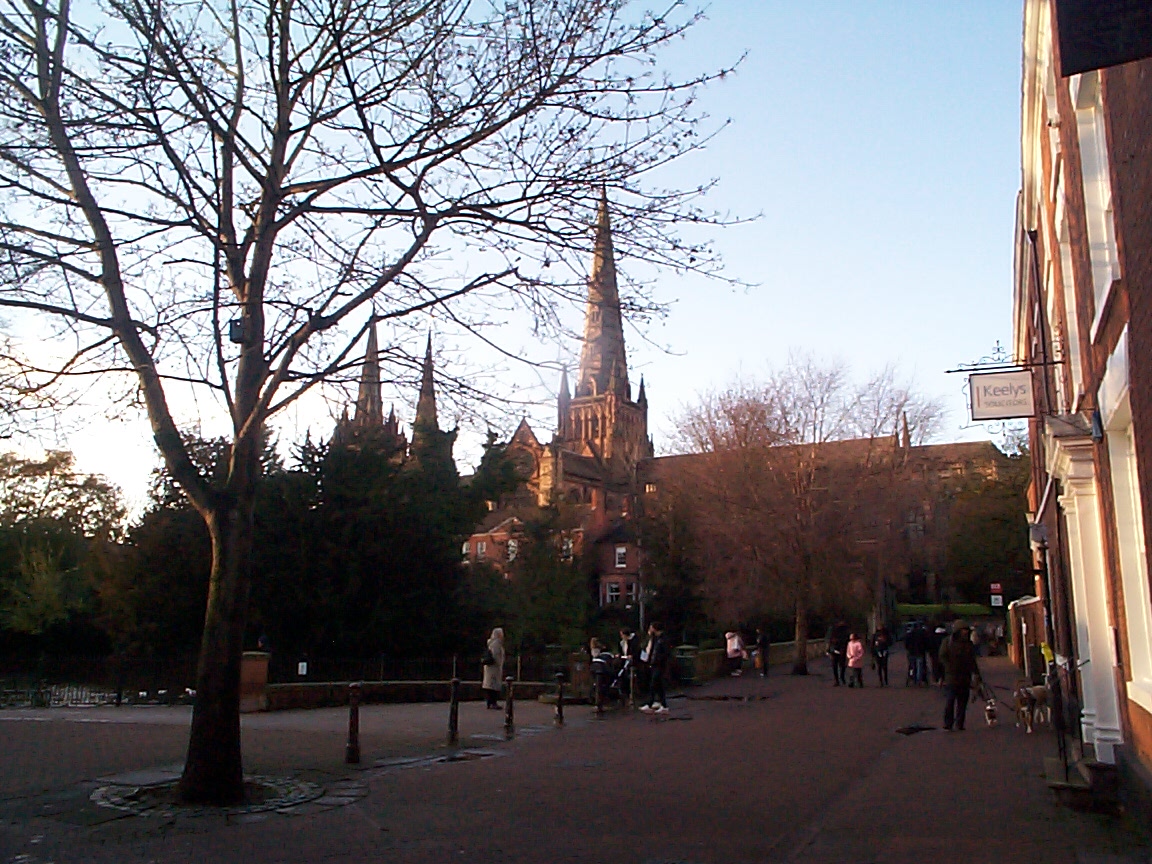
From a usability point of view, the DC210 is childs play. Kodak have made a really good job of creating a joyful, friendly interface. The menus are clear and changing options is easy with everything requiring a few presses of the up or down arrows followed by the "do it" button as they call it in the manual. Once you've set the camera up how you like, the only thing to do when taking an image is decide if you need a little exposure compensation (you do indoors without the flash) and whether you need macro or normal focus
It is quite difficult to judge when you might need macro mode, but anything closer than an arms length and you probably do, anything more and leave it in normal. The flash has several modes with the usual red eye reduction, but I prefer to keep it off as it makes images look weird and have harsh shadows when taking pictures indoors. I left the image quality always on the highest and found that the 8mb memory card was sufficient to not keep having to run back to the computer on a normal day, but for a party, event or big day out you'd probably want a bigger or second card with you so you didn't have to select and delete pictures to give yourself more space.
I don't know how good battery life was with the original DC210 but I did read that it was quite power hungry. The claimed 20% improvement in battery life is welcome and with high quality batteries I did find that battery life was acceptable. I got a couple of days use out of a set of batteries with some macro (which uses the screen at all times). I did invest in some rechargeables and I can't imagine anyone has the money to keep one of these going with disposable batteries. Needless to say, there's a reason they provide a power supply for any other kind of use or transferring data using the serial cable.
Is it worth the investment?
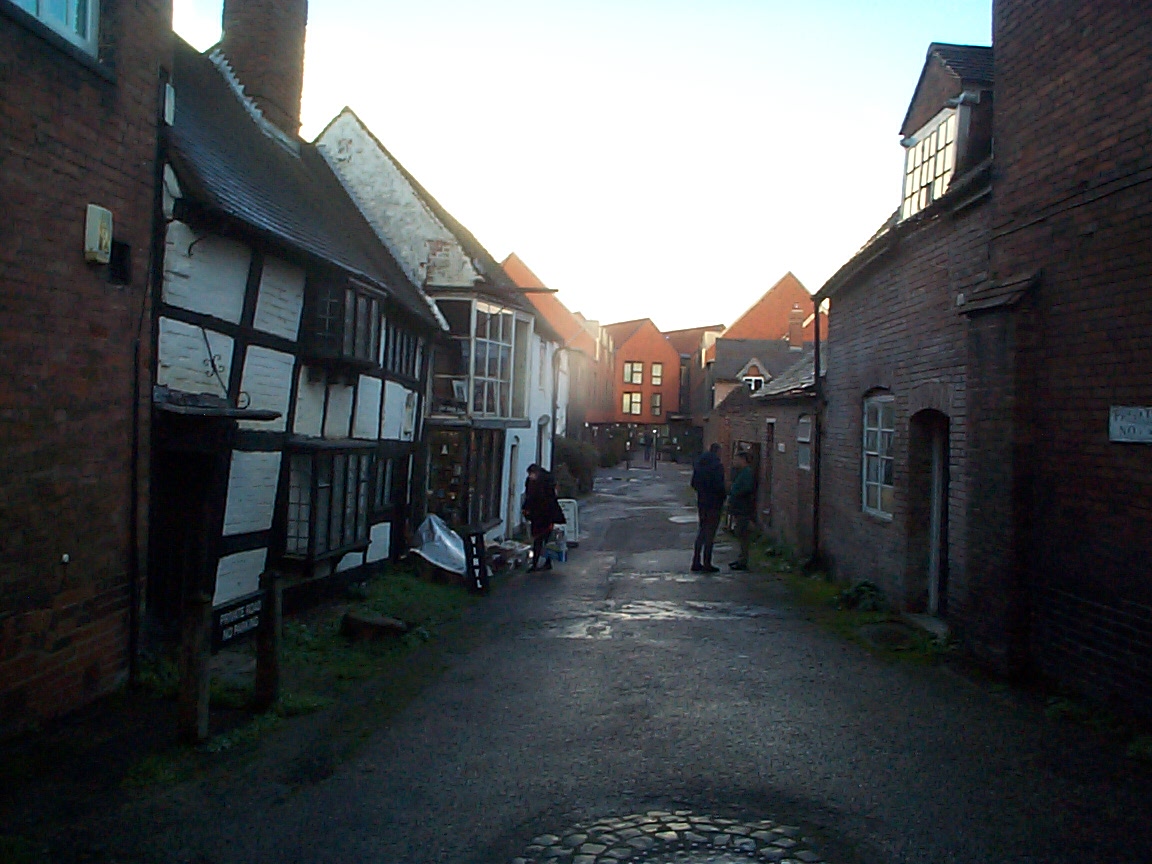
I'm definitely something of an early adopter of technology and I've enjoyed having a modern, fast PC with the luxury of an internet connection. The infiltration of the web as a daily part of all our lives isn't going to go away any time soon and the process of getting decent quality images onto your computer and online is a faff at best when you have to scan each picture in individually. Digital cameras enable you to "develop" your digital film all at once and then your images are ready to go with the minimum of editing and right now they're perfect for your website and who doesn't need more content for their homepages which are an essential part of so many of our lives? If you think about the amount of money you would spend on film, eventually a digital camera will pay for itself, but you're going to need to shoot a lot of pictures before this kind of thing pays for itself.
Technology is moving at an incredible pace right now. Last year, the fastest PC available had a Pentium 233mmx chip inside, this year you can buy a machine twice as fast with a Pentium 2 inside. Where else do you see a 100% improvement in performance in the space of 12 months? Whilst not moving at exactly the same speed, digital cameras are certainly improving. At the very top end, newspapers and magazines are spending £10,000 to £15,000 on a top end Kodak backed Canon or Nikon and getting only about 1.3 megapixels of resolution for their money. In 1997, the Canon DCS-1 sold for a whopping £25,000! Now, at the end of 1998, those prices have dropped by almost half and we're already hearing rumours of new and improved models to replace them with higher (some say 3 megapixel already) resolutions.
Closer to home, we can see this in the difference between the Casio QV10 (long since replaced by their newer models) and this Kodak DC210. Even though the sensor in the Kodak is already a year old, it is still a capable imaging device. The biggest downfall is perhaps the poor state of internet connections in the UK. Whilst our friends over the pond are basking in fast cable internet speeds, or even "T1" lines at their universities, we're lucky if we can get a stable 56kbps connection from our already outdated phone line modems. Of course, you can buy into the upcoming "ADSL" connections which boast the ability to allow households to be permanently connected and to use the phone at the same time as the internet, but this of course comes at a price that only businesses can afford for the time being.
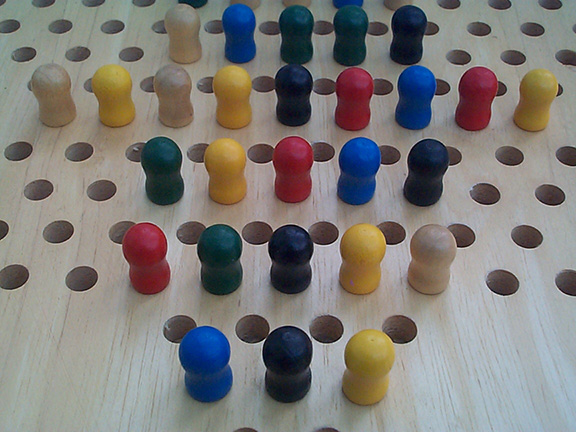
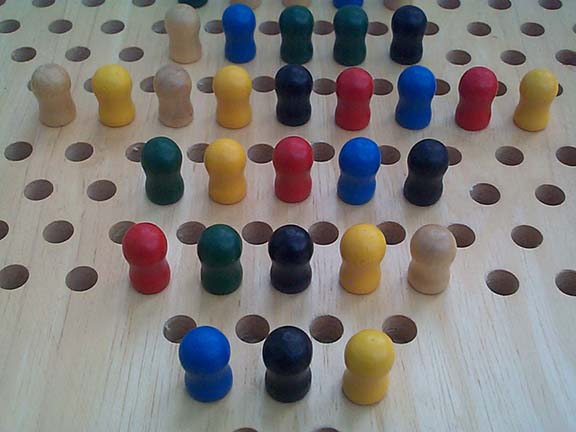
Why does this matter? Well, if you want to fill your website with shiny images from your Kodak DC210 you're going to need to employ some serious compression or reduction in image size to give users a decent experience. Out of the camera, a DC210 image is roughly 200kb, which doesn't sound huge. On a normal 56.6k modem, that's already 40 seconds to download one image. If you go to my gallery page you'll see six of these images which would weigh in at 1.2mb or in download terms - roughly 4 minutes of downloading on a stable connection. That's not an acceptable loading time by any stretch of the imagination. Reducing the resolution by 50% gives you an image of 576x432 pixels and takes file size down to a more manageable 90kb or 18-20 seconds download time. Still not perfect. You can compromise with more compression but then the artefacts really start to kick in if you view the image at full size. Depending on how your image editor applies JPG compression, on this 50% resolution file, roughly 6/10 compression level will give you a file of 35-50kb

|
|
|
Can you tell the difference? Click each for full size and compare for yourself.
And this is not to mention how painful the upload speeds are. So... if you're planning on sending all your friends email spam with lots of your holiday snaps attached, perhaps hold off sending them full size images or allow them to visit your website instead of having to wait 2 hours whilst their email downloads!
There is good news, though. As you can see in the comparison above, at website sizes it is almost impossible to tell the difference in quality - which is a God send, so don't be afraid to resize and compress your images but if you want to print them out to show to friends, as you surely do(!), then you really do need to keep the full file size and compression level used in the camera.
I might be stupid, setting my camera to best quality at all times, but Kodak aren't and they knew all of these internet file size issues when designing the camera. If you know that your images are only ever going to be displayed online and at a small size you can just set the camera to "good" quality rather than "best" and the resolution to "normal" rather than "high."
This gives you an image that looks like this:
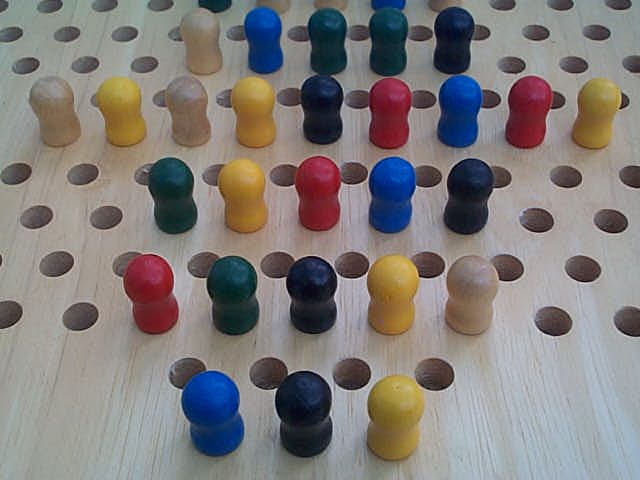
Which doesn't look too bad, does it?
There are some "buts" here. The image size is now 640x480 which is perfectly acceptable for web use but not for prints or using as your desktop wallpaper. In 1998, everyone is running 800x600 or far more commonly 1024x768 as their desktop resolution. If you decided one of your pictures should be a wallpaper then you'd end up stretching or tiling the image. This is why it is always better to shoot at maximum settings on a digital camera - you can always reduce size but you can't add it back in again.
The second issue is I've reduced the size of the image above to display on a web page. If you view it full size, you really can see the reduction in image quality as below:
If you click here, and have patience, you can see the same image but at full size and quality and the difference is definitely apparent, especially around the edges of objects and the holes in the checkers board, for example.
Conclusion
The DC210 really is a lot of fun. If you've never tried digital photography before, there's something very liberating about being able to take as many pictures as your memory card will allow and not having to worry about wasting film. Before you know it you're experimenting with macro, taking shots you normally wouldn't and experimenting far more. This really is the beginning of an age where we are going to start taking huge amounts of photographs that we never would have before. Where we'll put them is another matter, my hard drive already has only a few GB left!
The best advice I can give is not to mix up film and digital in a direct comparison and that is simply because they cannot be compared directly. On a 35mm camera you can take one shot and instantly be ready to take another. On digital, there is a pause as the data is written to memory card. However, as we all know, until you've taken your 24 or 36 shots on film you can't see the results whereas on digital you can (although the screen is definitely not perfect!) This is a true "swings and roundabouts" situation.
So, if we focus solely on digital cameras and specifically the Kodak for a moment, the question is should you buy one? Was it worth buying this camera for me? The answer is a definite yes if you keep your expectations in check. Film spoils us. There is a huge choice for every imagineable scenario and we can even shoot in truly dark environments with the likes of Delta 3200 and Fuji 1600 colour films. The digital world isn't ready for this yet and the images from a digital camera have a "grain" all of their own, they are definitely not as crystal clear or finely detailed as you are used to from your SLR and expensive lenses
What the Kodak loses to it's film cousins, it makes up for in convenience, fun and... web compatability. Everyone is putting information online now, building their home pages, sharing research and educational material from universities and the like and all of this is made so much better with images and illustrations. Taken purely as a tool for getting pictures onto web sites, the Kodak DC210 can't be beaten. It provides enough detail, almost instant pictures and, with a card reader, it is very quick to get those images on your computer and do some enhancements with the provided software. Within five minutes you can have a picture on your website and that's not possible when you've got to scan a negative, for example. Although - those negatives will look far clearer! There's that give and take again.
I think it is clear that prices for these things are only going to come down over time and we should see capability increase too. If you are patient and you wait for the sales, I reckon you could get a proper bargain and maybe pick one of these up for perhaps £350 in the near future and for a photography enthusiast, student, researcher, web designer and so many others that would be a great tool at a great price.
The conclusion is... if you can afford one or find yourself a good deal - buy it!
But I would say that, I need to justify the fact I bought one... oh well!
This site was written in Edit Plus - you can get your own copy by clicking  this button


Best viewed in Internet Explorer or Netscape Navigator
All content (c) 1998 - Ravioli, Ravioli, Ravioli

